
Please Reload the page to see the latest classes
See the Full Schedule Here (all times in Eastern Daylight Time • UTC -4)
DAY 4 - THE PHOTOSHOP CREATIVITY VIRTUAL SUMMIT 2025
Please Reload the page to see the latest classes
See the Full Schedule Here (all times in Eastern Daylight Time • UTC -4)
Current time in Tampa, FL (Summit Headquarters)
Day 4 - Wednesday, March 26th
SESSION 25
Session Goes Live at 8am EDT
Power of Props and Set Design for Creating Realistic Storytelling Fine Art Composites
Join award-winning fine art conceptual photographer Anya Anti and learn about the power of set design and props for creating realistic composites without using stock images. She will share these concepts and ideas with before/after photos, live demo, and various techniques to demonstrate the power of set design and the importance of compositing in fine art photography
How you can use compositing and turn it into a powerful tool of conveying an idea, bringing your artistic style to life and telling a story.
How to prepare your shooting set for the future composite
The power of using props and set design and how to shoot with proper settings
How to shoot additional images, insert them into your photograph, work with masks and adjustment layers and then bring everything together into a finished piece of artwork in Photoshop.
How to create realistic creative composites that look cohesive and believable with less effort

Anya Anti
Website
https://anya-anti.com/
VIP ACCESS PASS MEMBERS
Log in to your account to access the Class Recordings, Class notes, and Downloads
FREE ACCESS TO THIS CLASS EXPIRES
FRIDAY AT 8AM EDT
SESSION 26
Session Goes Live at 9am EDT
Working with Blending Modes to Create Impactful Images
Unlock the true power of Photoshop blending modes to craft images that captivate, inspire, and stand out. In this session, we’ll explore the versatility and creative potential of blending modes, uncovering how they can elevate your artistic vision. Whether you’re aiming for subtle adjustments that enhance texture and lighting or bold, eye-catching effects that push the boundaries of imagination, blending modes offer endless possibilities. You’ll learn how to combine layers with precision, create dynamic lighting effects, and add depth and mood to your image and all with just a few clicks. From enhancing colors and contrast to blending elements seamlessly, these techniques will become an essential part of your creative workflow. Perfect for photographers, designers, and digital artists alike, this session will provide the practical knowledge and inspiration you need to transform your projects using Photoshop blending modes as your secret weapon.
Combining layers and blending to craft dynamic compositions.
Working with brushes for creative blending effects.
The power of smart objects for non destructive editing.
Gary McIntyre
Website
www.garymcintyrephotographer.com
VIP ACCESS PASS MEMBERS
Log in to your account to access the Class Recordings, Class notes, and Downloads
FREE ACCESS TO THIS CLASS EXPIRES
FRIDAY AT 9AM EDT
SESSION 27
Session Goes Live at 10am EDT
Shooting for Composites
How to plan photoshoots to get the best results when compositing. Getting good composites can be so much easier when you think ahead before the shoot. Planning for additional elements and getting the critical elements in a variety of angles and positions allows for so much more creativity on the compositing side.
How to plan a photoshoot using pre visualization
What details to keep careful track of, such as camera focal length, white balance, and light direction
How to put everything together into a seamless composite of a fun creative scene
Kirk Nelson
Website
www.thepixelpro.com
VIP ACCESS PASS MEMBERS
Log in to your account to access the Class Recordings, Class notes, and bonuses.
FREE ACCESS TO THIS CLASS EXPIRES
FRIDAY AT 10AM EDT
SESSION 28
Session Goes Live at 11am EDT
Creating ‘miniature’ scenes in Photoshop
In this class we will go over the techniques to create a miniature person-inspired photo using Photoshop. We will discuss what's required to photograph the elements of the image and how to composite everything together to create a whimsical and creative final product. We will discuss layer masking, various adjustment layers, creating and using our own custom brushes, creating realistic shadows and lighting and more!"
You will learn:
- Photography tips for creating 'mini' scenes
- Layer masking and how to remove backgrounds from images
- Creating realistic shadows and lighting effects in Photoshop
- How to use layering and blurring to create depth of field in Photoshop
- Using layer adjustments to finalize the editing process.
Joel Robison
Website
https://www.joelrobison.com/
VIP ACCESS PASS MEMBERS
Log in to your account to access the Class Recordings, Class notes, and Downloads
FREE ACCESS TO THIS CLASS EXPIRES
FRIDAY AT 11AM EDT
VIP EXCLUSIVE
Session Goes Live at NOON EDT
VIP Live Help Desk
VIPs: Log in to your VIP Member Area to register for the live Help Desk

SESSION 29
Session Goes Live at 1pm EDT
Masked and Unleashed: The Hidden Power of Camera Raw
In this class Glyn unlocks the full potential of masks in Camera Raw, revealing just how much can be accomplished. In this class, you'll learn how masks can simplify what once required multiple techniques in Photoshop, giving you more control and efficiency with your edits. From selective adjustments to creative effects, you’ll discover how to transform your photos all within Camera Raw.
How to use masks in Camera Raw to make targeted adjustments to specific areas of your image without needing Photoshop.
How to simplify complex edits by combining different types of masks (Linear Gradient, Radial Gradient, Brush) for precise and creative control
How to use masks to enhance lighting, contrast, and color in your photos, streamlining your workflow and eliminating the need for multiple Photoshop techniques
How to create special effects with simple masks

Glyn Dewis
Website
glyndewis.com
VIP ACCESS PASS MEMBERS
Log in to your account to access the Class Recordings, Class notes, and Downloads
FREE ACCESS TO THIS CLASS EXPIRES
FRIDAY AT 1PM EDT
SESSION 30
Session Goes Live at 2pm EDT
Impressionist Painting Effect for Photos via Photoshop brushes
In this class, Jessica teaches you how to use specially designed Photoshop brushes in combination with the pattern stamp tool to create painterly and artistic digital artwork from your photographic images. This technique allows Photoshop users from beginners onward to add artistic and creative touches to their images - or transform them completely into an Impressionist style artwork.
Jessica Johnson
Website
https://creatorscouture.com/
VIP ACCESS PASS MEMBERS
Log in to your account to access the Class Recordings, Class notes, and Downloads
FREE ACCESS TO THIS CLASS EXPIRES
FRIDAY AT 2PM EDT
SESSION 31
Session Goes Live at 3pm EDT
Create and Enhance with Timeless Artistic Textures
Unlock the secrets of crafting your own breathtaking artistic textures with Nikki Harrison’s expert guidance. Using simple yet powerful tools in Photoshop, Nikki will teach you how to design textures that elevate your photography—whether it’s portraits, wildlife, or any other subject—into extraordinary works of art.
Through her easy-to-follow, step-by-step techniques, you’ll discover creative ways to apply these textures to transform your images into stunning fine art. Whether you’re aiming to add depth, mood, or a timeless touch, this guide will empower you to infuse your work with artistic elegance like never before. The possibilities are endless, and the results are nothing short of spectacular!
Nikki Harrison
Website
https://www.nikkiart.ca/
VIP ACCESS PASS MEMBERS
Log in to your account to access the Class Recordings, Class notes, and Downloads
FREE ACCESS TO THIS CLASS EXPIRES
FRIDAY AT 3PM EDT
SESSION 32
Session Goes Live at 4pm EDT
Automation for Artists
Many Photoshop users say that they can't automate their work since everything they create is unique. But there are many ways that your work can be automated - at least parts of it. In this session, Dave will cover his favorite ways to get things done quicker, to allow you to focus on the creative side of your work.
• Using keyboard shortcuts - and creating your own
• The power of "starter actions"
• Built-in automations that can make your life easier
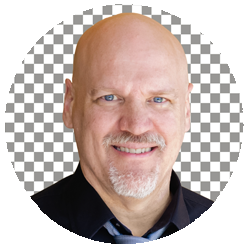
Dave Cross
Website
VIP ACCESS PASS MEMBERS
Log in to your account to access the Class Recordings, Class notes, and Downloads
FREE ACCESS TO THIS CLASS EXPIRES
FRIDAY AT 4PM EDT